

Emberlane
A fictional shop, block editor with the Ollie theme.
View the site: Emberlane (opens in a new tab) Open sign-in: Emberlane (opens in a new tab)


Everything the WordPress page covers, around a shop. In the Orchestrator that means templates, checkout changes, shipping rules and the cache, with every plan approved first.
A shop is a WordPress site, so the WordPress page applies too.
A shop is a WordPress site with money moving through it. These jobs sit on top of everything on the WordPress page.

Shops sit inside our 41 WordPress client projects, so we publish no separate count. Anything that touches checkout starts as a plan you approve.
Some checkout templates quietly empty the page a customer sees after paying. The plan names that risk before anything changes, and the agent checks the confirmation page when it is done.
Larch client · Checkout rebuild
Project agent · WooCommerce, Divi 5
Rebuild the cart and checkout to match the new design.
PLAN
RISK: medium · a paying customer could see an empty page
UNDO: switch the old templates back on
A page saved in the cache can carry a form token that expires about a day later, so the form quietly stops working. The agent keeps form pages out of the cache, clears it page by page, and checks as a plain visitor.
Acme client · Cache check
CompleteFOUND: a form token saved inside a cached page
It works on the WordPress side of a shop, one site at a time, and you watch each change appear on the page as it is made.
How it stays safe: it shows a plan first, the change appears on the page as it is made, and Stop cancels the job on the server. Every change is saved, and one click restores any earlier version.
Rebuilding the cart and checkout on a Divi 5 shop. Five steps, the same every time.
Larch client, a Divi 5 shop. "Rebuild the cart and checkout to match the new design."
Build the cart and checkout templates. Keep the page after payment on its own template. The plan flags that risk.
You read the risk and the way back, then approve. Nothing changes before that.
Cart and checkout built in Divi 5. The confirmation page is left out of the new checkout template, so it still shows the order.
Screenshots of the cart, checkout and confirmation page on desktop and phone, with the checks listed.
There is no separate WooCommerce playbook. These topics come from our WordPress and Divi playbooks, written from jobs we have done.

Three demo shops, one for each page builder. They use invented businesses, hold no real customer data, and reset every night at 03:30. They show page and theme changes. Editing products is not built yet.
A fictional shop, block editor with the Ollie theme.
View the site: Emberlane (opens in a new tab) Open sign-in: Emberlane (opens in a new tab)
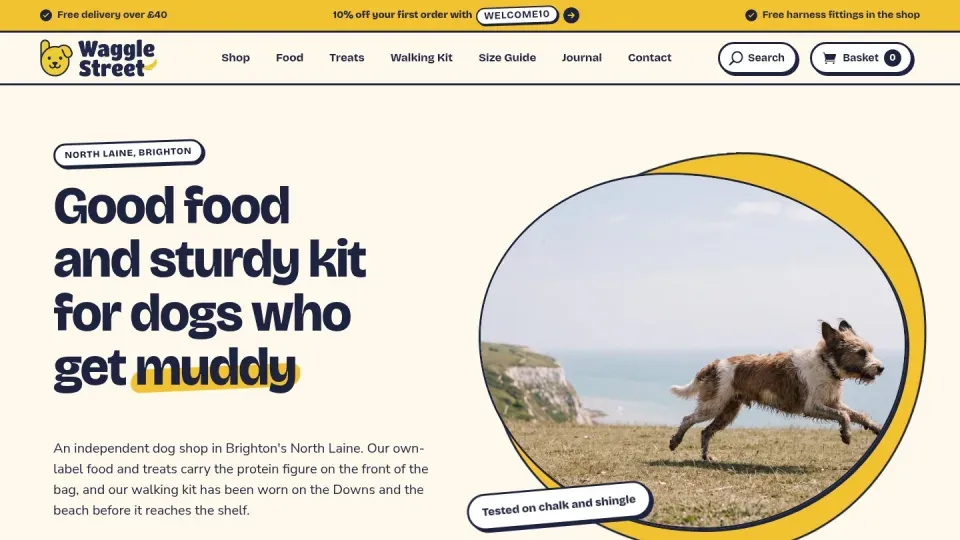
A fictional shop, built with Divi.
View the site: Waggle Street (opens in a new tab) Open sign-in: Waggle Street (opens in a new tab)

A fictional shop, built with Elementor.
View the site: Fellspoke (opens in a new tab) Open sign-in: Fellspoke (opens in a new tab)
Sign-in logins are issued on request, so you can try a change yourself.
Not yet. Editing products in Webgentic for sites is not built, and we have no date. The Orchestrator handles the templates, checkout changes, shipping rules and cache around your products.
Yes, as an Orchestrator job. The plan names the risk and the way back, you approve it, then the agent checks every step, including the page a customer sees after paying, on desktop and phone.
No. They are invented businesses with no real customer data, and they reset every night at 03:30. Ask for a demo login and we will issue one.
It is still WordPress, but checkout, orders and product data raise the stakes. The difference is money: a bad change to checkout or the page after payment can stop a customer paying or confirming. So those changes are planned and approved first.
Yes. In Webgentic for sites every change is saved with a plain-English note, and one click restores any earlier version. In the Orchestrator every plan names the way back before you approve it.
Yes, as an Orchestrator job. The plan names the risk and the way back, and you approve it before anything changes. Webgentic for sites does not edit shop settings.
Three: the block editor with the Ollie theme, Divi and Elementor. The WordPress page has five demo sites, including Visual Composer and Beaver Builder.
Ask us directly and a developer will reply.
Ask a questionJoin the waiting list. Or look at a WooCommerce demo shop first.