
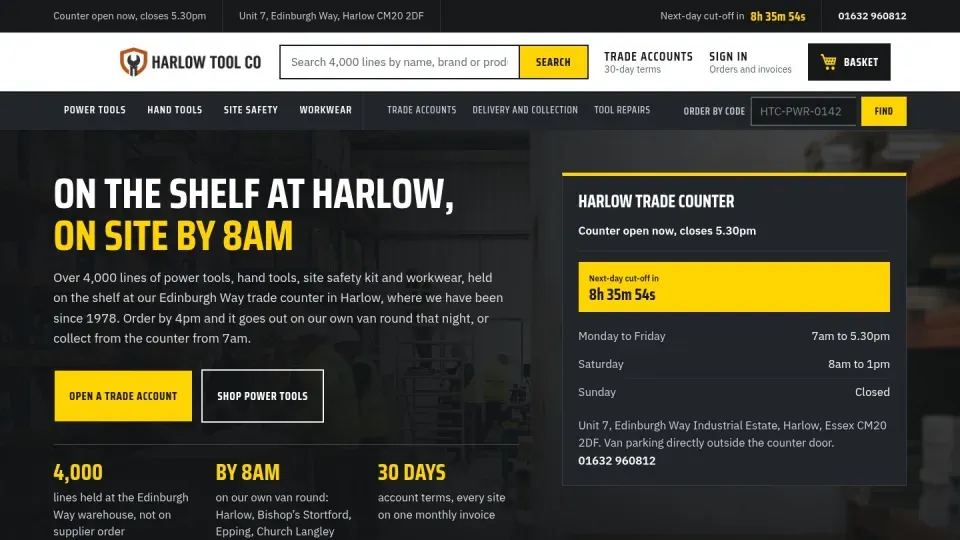
Harlow Tools
A Magento shop on the Luma theme. Ask for a change to a CMS page or block.
View the site: Harlow Tools (opens in a new tab) Open sign-in: Harlow Tools (opens in a new tab)


We have run 24 Magento client projects through the Orchestrator. Hyvä themes, Page Builder, large catalogues, extensions, cPanel and server work: each job is planned, approved and proved.
The work that fills a Magento agency's week, and the work that is hard to staff.

Child themes, templates and the Tailwind build, checked on the page a shopper sees.


Banners, landing pages and blocks, built so your client can edit them afterwards.

Categories, layered navigation, search and indexers on shops with a lot of products.
Version upgrades, security patches and extension conflicts, with the way back written first.
PHP versions, cron, Varnish, caches and hosting limits, handled alongside the code.
Front-end weight, images and the main content paint, measured before and after.
24 client projects have run through our own Orchestrator. This is how a Magento job goes.
Each store's project agent remembers the theme, the extensions, the hosting and every change made so far. A new job starts from that history, not from a blank page.
Magento client board
Anything that changes a store starts as a short numbered plan. You approve it, change it or reject it. Nothing touches the store before you say so.
Larch client · Shipping module
Project agent · Magento
PLAN
RISK: low · shop stays up
UNDO: previous build kept
Every job ends with a written validation: what changed, what was tested and what is still open. Visible changes come with screenshots on desktop and phone.
Validation
CompleteEvidence: 4 screenshots · 3 of 3 checks passed
Webgentic for sites adds a request bar to one Magento shop. The owner asks for a change in plain words and watches it happen. On Magento it changes content and design, not products.
| On a Magento shop | Today | In practice |
|---|---|---|
| CMS pages | Yes | Page content kept in the Magento CMS. |
| CMS blocks | Yes | Reusable content blocks. |
| Category text | Yes | The words on category pages. |
| Design config | Yes | The shop's design settings. |
| Restoring an earlier version | Yes | Put back in one click, with the caches cleared. |
| Products | Not built | Product editing is not built. |
A plan comes first and you see each change appear as it is made. Stop cancels the job on our server. Every change is saved with a plain-English note, and any earlier version can be put back in one click.
No approval step in Webgentic for sites.
The change is made as you watch, and every earlier version is kept. Plan approval belongs to the Orchestrator. See how Webgentic for sites works
A new module on a live shop, with no downtime.
Acme client needs a new module on its live shop. The shop must stay up while it goes in.
The agent finds the one step that takes a Magento shop down: the compile, about 30 seconds. Its plan builds in a copy and swaps the result in.
You read the plan, its risk and its way back, then approve it.
The module goes onto the server switched off, so it has no effect. The agent builds in a copy, then swaps the built files into place in one step.
The swap took 138 ms and no request failed. A control build without the module still showed 238 differing files, so the module was not to blame. The old build is kept as the way back.
Each job loads the playbook topics that match it, so past mistakes are not repeated. The playbook is reviewed every night, so what one job learns reaches the next.
All 13 demo sites reset every night at 03:30. They are invented businesses with no real customer data.
A Magento shop on the Luma theme. Ask for a change to a CMS page or block.
View the site: Harlow Tools (opens in a new tab) Open sign-in: Harlow Tools (opens in a new tab)
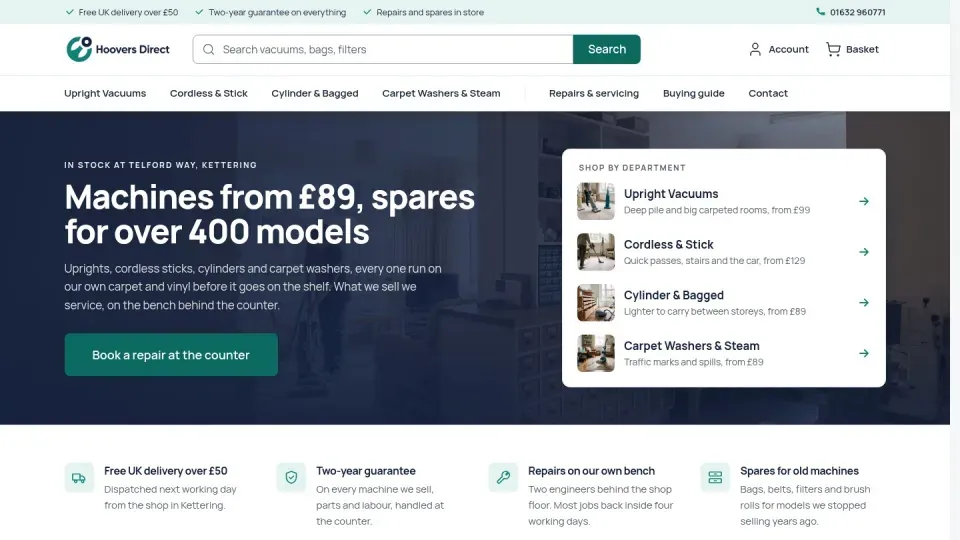
A Magento shop on a Hyvä child theme. The one to open if your clients use Hyvä.
View the site: Hoovers Direct (opens in a new tab) Open sign-in: Hoovers Direct (opens in a new tab)
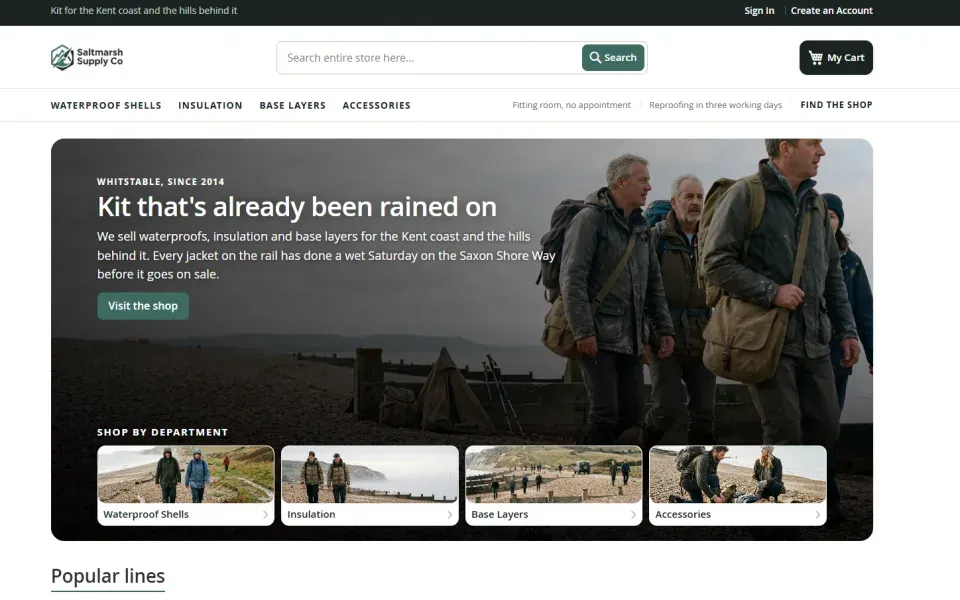
A second Magento shop on the Luma theme, to try a change to category text.
View the site: Saltmarsh (opens in a new tab) Open sign-in: Saltmarsh (opens in a new tab)
Yes. Hyvä is covered in the Magento playbooks, and one of our demo sites is a Hyvä store.
No. On Magento it changes CMS pages, blocks, category text and design config. Product editing is not built.
The Orchestrator plans first, and nothing changes until you approve. Webgentic for sites has no approval step: each change appears as it is made, Stop cancels the job on our server, and every earlier version can be put back in one click.
A project agent can only read and change its own project's files. That limit is enforced in code, not left to good behaviour.
Every change in Webgentic for sites is saved with a plain-English note. Restoring one puts it back and clears the caches.
Ask us directly and a developer will reply.
Ask a questionJoin the waiting list. When your place comes up, we will show you the Orchestrator running on one of your real jobs in the first call.